
By Kieran Buckley · Category: Crypto Security Guides
Cold Storage Deep Dive: The Ultimate Crypto Vault Setup
Cold storage sounds intimidating, but it’s really just a disciplined routine: generate keys offline, back up properly, test small, then store long-term funds with confidence.
If you’re new, start with the basics first — you can click here to explore the free crypto courses (3 free courses + 1 advanced paid option).

Clear lessons. Practical safety. No hype.
Build a foundation before you invest.
What cold storage really means
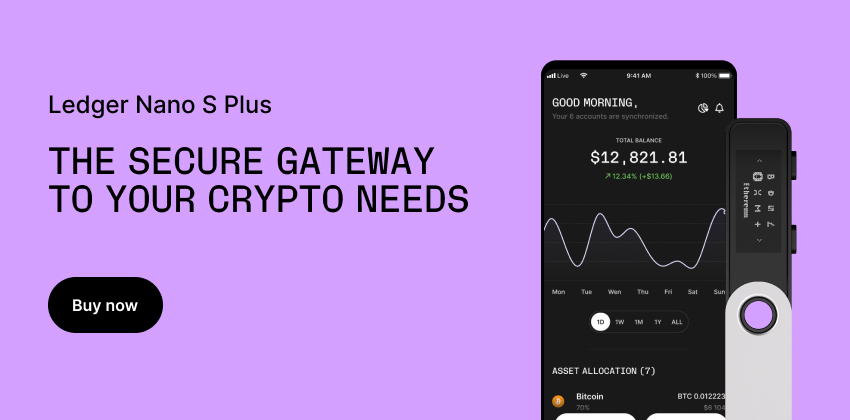
In plain English: cold storage means your master keys stay offline. You can still receive funds using a connected computer, but the keys that approve spending never touch the internet. In crypto terms, your private keys are generated and protected in a “cold” environment (offline).
Who actually needs it
If you’re holding crypto for months or years (not daily spending), cold storage is the simplest way to reduce online risk. It’s also a mindset shift: fewer “quick clicks”, more intentional steps.
This guide sits inside our Crypto Security Guides hub, where you’ll find the rest of the safety foundations in one place.
The real threat model
Most losses aren’t from movie-style hacks. They’re from simple exposure: recovery words saved digitally, fake “support” chats, clipboard malware, or buying a tampered device.
Your goal is to eliminate the easy wins: keep recovery words offline, verify addresses on-device, and test transfers before moving serious value.
Gear you’ll need
Keep it minimal: a reputable hardware wallet from an official store, a clean setup environment, and an offline backup strategy (paper and/or metal). If you need broader basics first, click here to explore the Crypto Education Hub.
Step-by-step vault setup
1) Buy direct, then verify
Buy from official sources only, check packaging, then follow the manufacturer’s verification flow. Update firmware through the official software when prompted.
2) Generate recovery words offline
Generate a new wallet on the device. Write the recovery words by hand. No photos, no scanning, no notes app.
3) Confirm receive addresses on-device
When receiving funds, compare the address shown on your computer to the address shown on the device screen. The device display is the source of truth.
4) Test small before moving serious value
Send a tiny test amount, wait for confirmation, then move the main balance. This prevents “one typo = one disaster”.
Free Crypto Starter Pack
- 5 core crypto guides in plain English
- Access to investment calculators to test scenarios
- Free beginner-friendly courses and micro lessons
Backups: paper vs metal
Paper is simple and works for many people, but it’s vulnerable to fire and water. Metal backups are more durable and make sense for long-term storage. Whatever you choose, store backups in two separate private locations and never label them with wallet names or amounts.

Passphrase (advanced)
A passphrase adds an extra secret on top of your recovery words, creating a different wallet even with the same words. It’s powerful, but it raises operational risk: forget it, and funds are unrecoverable. Only enable it if you can back it up separately and perfectly.
Audits and rotations
Every 6–12 months, do a tiny receive/send test and confirm your backups are readable and intact. If you suspect exposure, migrate to a fresh wallet with a new recovery phrase and retire the old one.
Common mistakes & fixes
Photographing recovery words. Fix: move funds to a new wallet and redo backups offline.
Buying from marketplaces. Fix: only official stores.
One backup in one place. Fix: always keep two copies in separate locations.
Wrap-up
Cold storage isn’t complicated — it’s precise. Generate offline, verify addresses on-device, test small, and protect backups with separation and durability.
If you want more plain-English guides like this, click here to browse the Media Hub and keep building your knowledge step-by-step.
Build a foundation before you invest.
Mini-FAQ
Is a hardware wallet the same as cold storage?
A hardware wallet enables cold storage, but only if recovery words stay offline and never get typed into a computer or website. The device can connect to software, but keys should never leave the device.
Should I use a 12-word or 24-word recovery phrase?
Both are secure when generated properly. The bigger risk is mishandling backups — not the number of words.
Do I need a passphrase?
Optional. It can add protection, but increases the chance of accidental loss if forgotten. Only use it if you can record and store it separately with zero mistakes.
How often should I test my setup?
Every 6–12 months, do a tiny test transfer and a quick “backup readability” check.
Start with the free foundations, then level up when you’re ready.
3 free courses + 1 advanced paid option.
Disclaimer: This article is for educational purposes only and is not financial advice. Crypto involves risk. Always do your own research.